The idea
What is a meta-harness?
The term meta-harness means a harness for your harness. Whether or not you think of your coding agents as having a harness, agents like Claude Code, Codex, Antigravity, and Grok pair a language model with a harness: the software that turns the model’s intent into tool calls to navigate, read, and write files on your machine.
A meta-harness sits one level above those providers. That is the main point. Without building against a provider’s SDK, you can have Grok and Codex work together on a problem while a supervisor such as Fable oversees the work. The structure above those agents connects the building blocks their harnesses expose, including hooks, MCP, skills, and AGENTS.md.
Following the success of Claude Code, coding agent harnesses have been converging on similar building blocks. Their support and behavior differ, but that common ground is enough to build a layer above them.
Granted, building a meta-harness around a standardized agent harness, such as the Pi coding harness, would have been easier. The agents supplied by the labs each have their own quirks and schemas. But I prefer working with those agents directly, so you can bring your Codex, Claude, Grok, and Antigravity subscriptions into the workspace. You keep the experience each lab provides by pairing its model with its own harness, without having to build a separate API integration.
In this approach, terminal-based coding agents are the primitive: the thing you wrap your orchestration and visibility around. Hooks, MCP, skills, and instruction files are the building blocks. Here is what I think a meta-harness should accomplish with them.
The framework
Ten responsibilities.
One coherent workspace.
Terminal multiplexing + hooks
Make the work visible
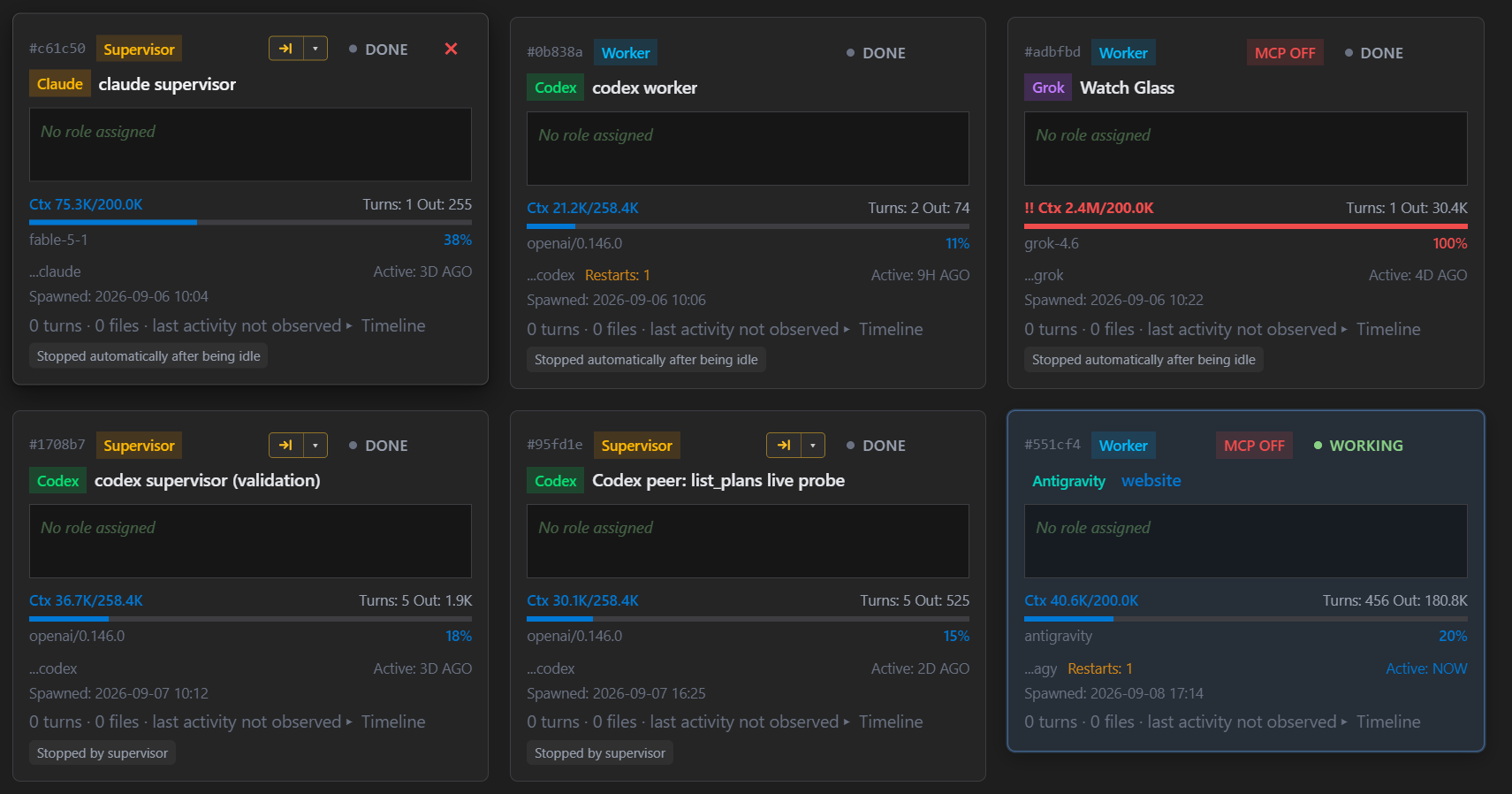
Terminal multiplexers with agent-configured hooks, like cmux and Herdr, lay the foundation. They let you see agents across panes or cards and receive status updates, so you know at a glance whether an agent is working, finished, or waiting for your input.
Beyond that, I would argue that your agent’s chat interface does not need to live exclusively in the terminal. A structured chat view makes responses much easier to read. It also makes it possible to highlight or comment on specific parts of an agent’s response. Of course, you still need the terminal for some things, and a good meta-harness should keep it within easy reach.
MCP tooling + hooks + scripting
Let agents talk to each other
You want agents to talk to each other and review each other’s work. MCP tools can send and receive messages between them. Hooks record whether an agent is working or idle, giving the orchestration layer status signals it can use alongside message tracking to help verify that an exchange is moving forward.
Scripting can also standardize the basic structure of collaboration. A script can spawn two agents, tell them they are working together, seed a problem, and manage the exchange. It can count turns so they do not chat forever and make sure their discussion resolves into a tangible artifact written to disk.
This is probably the most powerful thing you can do. Discussions among agents from different providers bring new perspectives and uncover bugs that might otherwise have shipped. It drives home why important decisions deserve more than a single session or a single context window.
The key is that each session is a full coding agent with its own tool calls, independently exploring the files on your machine. You are getting multiple investigations, not just multiple responses to the same prompt.
AGENTS.md + MCP tooling
Give the team a chain of command
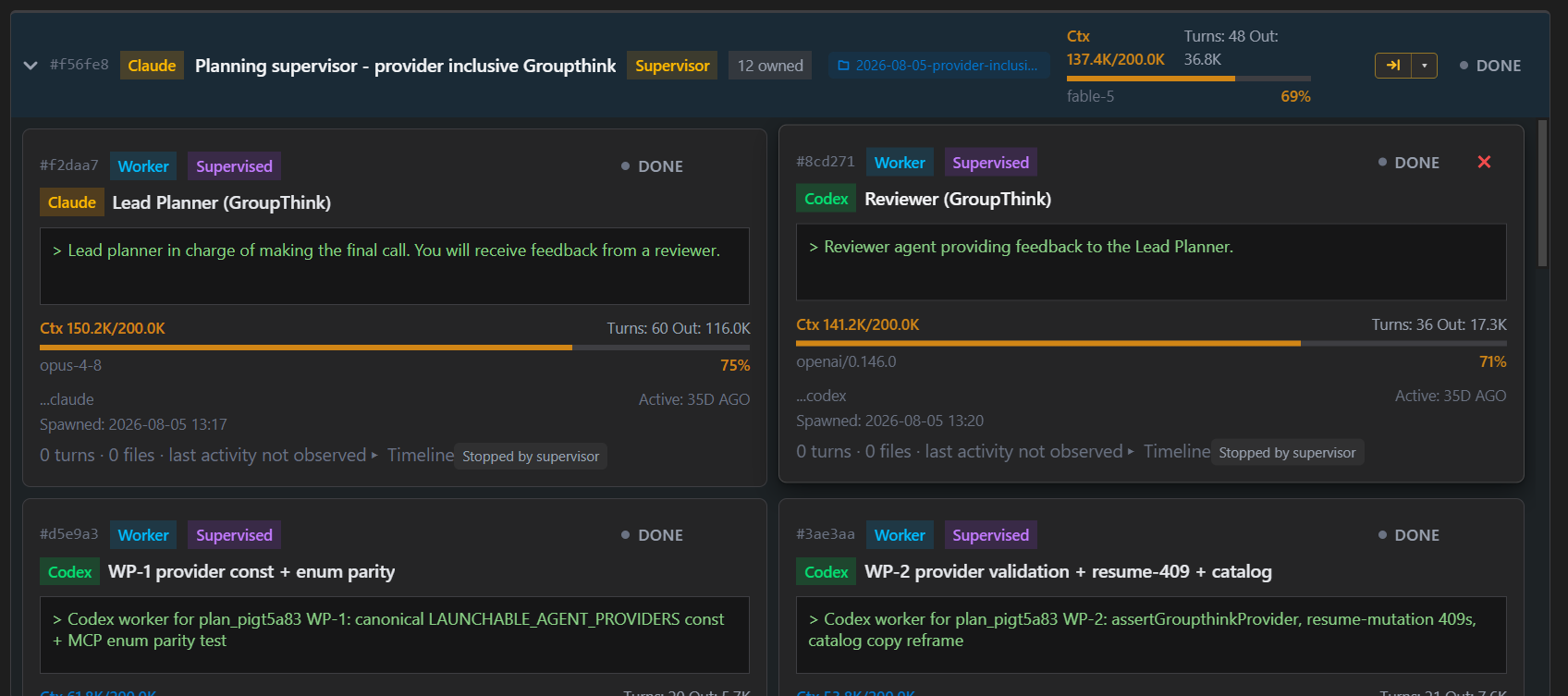
You do not want a chat room full of agents talking over each other, burning tokens, and making the work impossible to trace. You want a chain of command leading to a head agent that manages the group. That is the agent you spend most of your time interacting with.
Hierarchy matters more than it first appears. Working with models can be frustrating. They have quirks, need specificity, and sometimes need encouragement to keep going instead of ending a task early. The best fix I have found is to have one model delegate work to other models and monitor whether it actually lands.
That is the supervisor-to-worker structure. A more capable model gives thorough instructions to smaller models, monitors their progress across turns, and validates their results. Instead of repeatedly typing “Yes, continue” or “No, that is not what I meant,” you spend your effort up front, agreeing on the shape of the plan. Once it is set, the supervisor handles the decisions about how to divide the work, respond to surprises, and prompt each worker.
The payoff is that you spend less time fighting your own implementation. Results may still need revision, but the supervisor keeps the work moving and checks that the changes actually arrived.
This is probably the second most powerful thing you can do: create agent types with dedicated tools and instructions. A researcher, a worker, and a supervisor can each have a defined role. Mechanically, you establish those identities through prompts and instruction files such as CLAUDE.md and AGENTS.md, then give each role its own MCP tools or scripts for orchestration, implementation, or research.
There is a reason people working together in businesses keep returning to hierarchy and specialization: it works. When your meta-harness encodes that structure, your computer becomes a small company in which you are the CEO.
Context windows + session handoffs
Keep context useful
Everyone working with agents should understand the context window: the tokens in a session that feed into the model’s next response. Naturally, you want to fill that window with relevant information, raising the chance that the response will be useful and grounded.
That means more than managing window size for cost and accuracy. It also means organizing the repository. Every folder and every Markdown file an agent writes can become a future input. Those inputs can improve the way agents behave or quietly degrade their effectiveness.
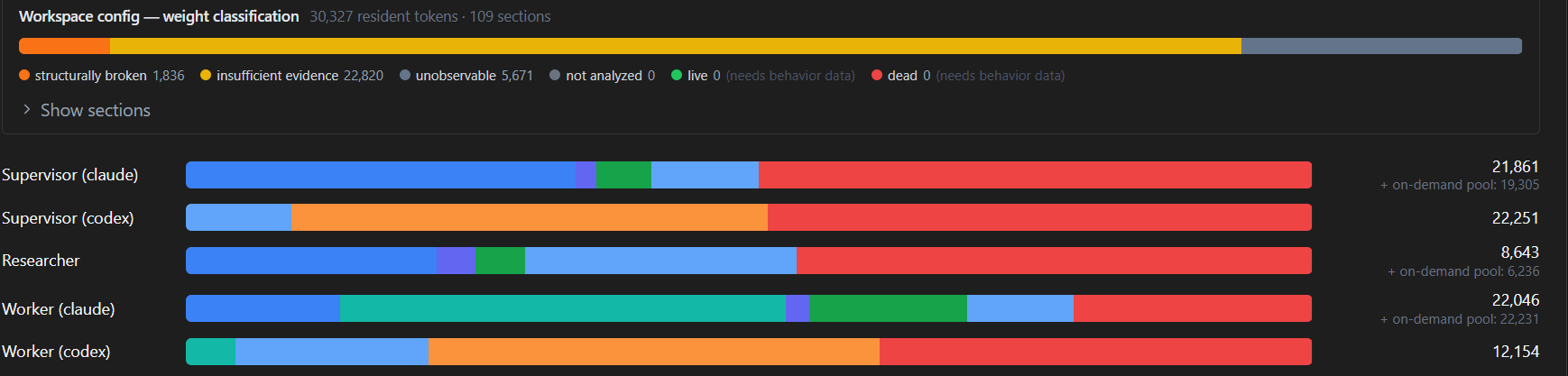
The most practical concern for a meta-harness, though, is size. When context gets too large, it should manage a handoff to a new session. My own preference is to keep a 1M-token context window below about 220K tokens for cost and performance. When context crosses that threshold, both the user and the meta-harness can see it, and the agent is told to write a handoff.
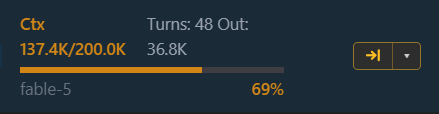
One agent ID is not the same as one session ID. You might create an agent called “Fix this problem” and keep that identity throughout the task, while the work underneath spans five separate sessions connected by handoffs.
Skills + a database
Connect planning to execution
This is the part of context management that goes beyond window sizes and session IDs. It concerns the protocols and best practices that carry a user’s intention through refinement and into implementation.
When work extends beyond one session, you start writing multiple Markdown files. One contains the initial proposal. Another records what Codex and Grok thought about it. A third describes the implementation plan. Later, an adversarial review might produce a report on what went wrong, followed by a proposed fix in yet another file.
One thing is guaranteed when multiple agents work on larger tasks: lots of Markdown files. But those files are all part of a single effort, and that relationship needs to be obvious in how they are organized and recalled.
That calls for conventions and a database: keep related files together, record which files belong to which plans, and record which agents wrote or executed each plan. You want a full chain of custody.
Agents should be able to query those records, read proposals and plans whether or not they were executed, and contact the supervisor responsible for a plan to ask questions. A meta-harness should preserve that continuity and ship skills that teach agents to follow the conventions. This is how best practices become part of the agents’ behavior.
Skills + shared conventions
Make memory shared and temporary
Whether a worker or researcher uses Claude, Codex, or another provider, you want continuity within that role. A shared memory folder lets agents in the same lane record what the next agent needs to know.
Skills can make sure memories are recorded consistently and support progressive disclosure: start with a concise summary, then read the details when needed. These conventions usually combine a skill with instructions explaining where things live and how to use them.
A meta-harness should make this process visible. Agent memories are often temporary and need to be culled. If a rule is permanent, it probably belongs in an instruction file such as AGENTS.md. I like agents to record the conditions that would invalidate a memory, so old entries can be removed by checking whether those conditions have been met.
Every Markdown file your agent writes is a potential future input.
Git + checkpoints + attribution
Know what changed and how to recover
A meta-harness needs a way to preserve work locally through Git commits and frequent checkpoints. When multiple agents work in a repository, they can step on each other’s toes, and regressions are likely to happen.
Having an undo button is clutch. It also carries risks: an agent given broad recovery powers can undo far more than intended with a single command. Guardrails around destructive commands and carefully scoped recovery matter just as much as the ability to take a checkpoint.
You also need to know who did what. Which agents touched which files? What changed in each file? A useful work ledger connects those changes to plan IDs, agent IDs, session IDs, dates, and times.
That record lets agents trace regressions, helps you spot overlapping edits, and gives you a way to monitor implementation without relying entirely on an agent’s account of its own progress.
Resource monitoring + agent lifecycle
Look after the host machine
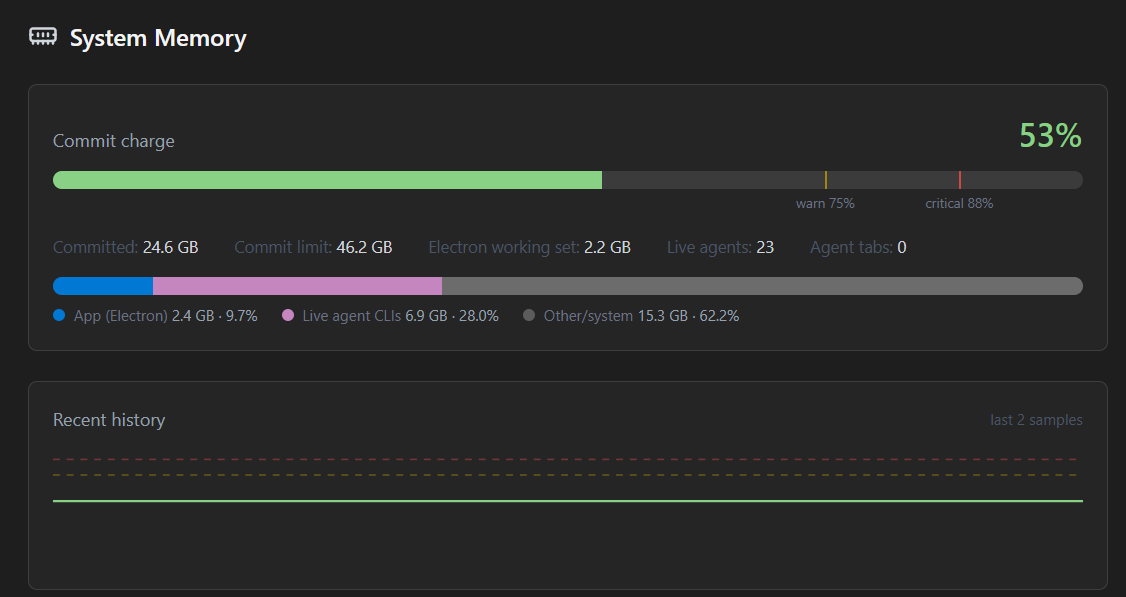
Launching many agents is memory-intensive. The meta-harness should take responsibility for that: monitor memory pressure, close agents left idle, and let you restart them when needed. If memory pressure becomes critical, it should block new agents from spawning.
Activity records + feedback
Measure the work and improve the system
The meta-harness sits above your agents, so it can collect the chat histories they leave behind. Parsing those histories makes it possible to evaluate how agents use their tools.
A meta-harness should help you find stale instructions, skills that are outdated or ineffective, and MCP tools that never get used. Removing that overhead can improve the context agents work with. Repeated patterns may also reveal an opportunity to create a new skill.
Whether you are removing something or adding it, the first step is the same: look at what agents actually do.
Usage visibility + model selection
Make the most of your subscriptions
A meta-harness should help you make full use of your subscriptions and monitor usage. When a plan finally fixes a problem, you should be able to understand what the work cost and how much of your available usage it consumed.
Your agents should have access to that information, too, so supervisors can choose models with both the task and the remaining usage in mind.
Where this is headed
Dolmen Desktop: the workspace
around the agents
These responsibilities shape Dolmen Desktop, the meta-harness I have been building. Its construction puts visibility and human participation at the center, and it blurs the line between a meta-harness and an IDE.
Once you have protocols for creating and orchestrating multiple agents, you want that activity to happen in a friendly environment. You want to view and edit files as you would in VS Code. Add those useful human features, and the meta-harness starts to look like an IDE, with the agents integrated into the workspace.
You can ask an agent to open a document and have it appear on your screen. You can edit it or add comments, and the agent can read those comments. The IDE becomes a collaborative space for you and your agents.
Portable protocols, a shared workspace
In principle, the meta-harness protocols could be separated from the Dolmen Desktop app. Dolmen Desktop already keeps agent prompts, skills, and configurations together in a folder that can be transferred to another machine or sandbox. The desktop app also houses databases and scripts those skills reference, so the pieces are not completely independent. Still, I can imagine retaining lightweight protocols for organized work across models while removing some of the heavier visual components.
Best practices you do not have to remember
Dolmen Desktop is meant to encode best practices. You launch your own coding agent, but it starts inside the .dolmen workspace structure, with instructions and skills that give it a method for approaching the work.
The aim is to make useful habits part of the environment, so you do not have to think about them every time. You can spend more of your attention on what you are doing.
Stay involved in the decisions
If “vibe coding” means asking agents to do something and paying no attention to how they do it, then Dolmen Desktop points in a different direction. It is not a lights-out software factory. Agents and their chats are laid out in visible cards you can open. They should explain their plans in clear, concise language, so you understand what is happening even when you are working at a higher level than a line-by-line code review.
To me, having a serviceable mental model of what you are doing and why is absolutely key. Combine that with staying involved in the planning phase, and you become the executive manager of your own company of AI agents.
You set the direction.
The workspace makes the work legible.